

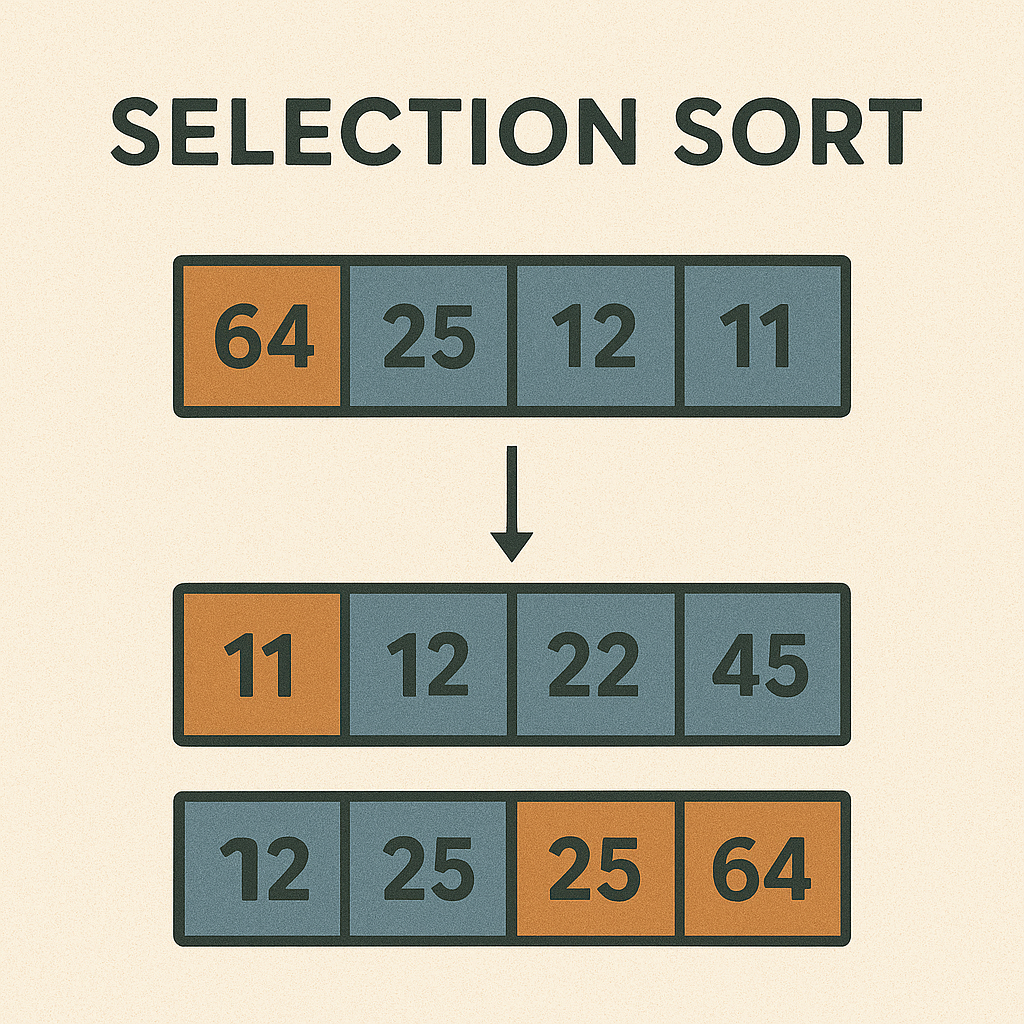
Sorting algorithms are fundamental in computer science, and Selection Sort is one of the simplest to understand. In this article, we explore how selection sort works step by step, analyze its performance, and show how to implement it in Dart. We also discuss how you might visualize the algorithm with Flutter, and compare selection sort to other sorting methods.
Introduction
Selection sort is an in-place comparison sorting algorithm. It divides the list into a sorted portion and an unsorted portion. Initially, the sorted portion is empty and the unsorted portion is the entire list. The algorithm repeatedly selects the smallest (or largest, for descending order) element from the unsorted portion and swaps it with the first element of the unsorted portion, thereby growing the sorted portion by one element each time. Though simple, selection sort is inefficient on large lists, as its time complexity is quadratic.
How Selection Sort Works
Conceptually, selection sort works like this:
- Assume the first element is the minimum. Scan through the unsorted portion to find the true minimum element.
- Swap the found minimum element with the first element of the unsorted portion.
- Now the sorted portion increases by one, and the unsorted portion shrinks by one.
- Repeat this process for the next position until the entire list is sorted.
At each iteration, the smallest remaining element is moved to its correct position in the sorted portion. This continues until the list is fully sorted.
Step-by-Step Example
Consider sorting the array [64, 25, 12, 22, 11] in ascending order using selection sort:
- Start with the full array: [64, 25, 12, 22, 11]. The sorted portion is empty.
- Find the minimum in the array (which is 11) and swap it with the first element (64): [11, 25, 12, 22, 64]. Now 11 is in correct position.
- Move to the second element. Consider the unsorted portion [25, 12, 22, 64]. The minimum is 12. Swap 12 with 25: [11, 12, 25, 22, 64].
- Next, the unsorted portion is [25, 22, 64]. The minimum is 22. Swap 22 with 25: [11, 12, 22, 25, 64].
- Continue with [25, 64]. The minimum is 25. Swap 25 with itself (no change): [11, 12, 22, 25, 64].
- Finally, [64] is the only element left; it’s already in place. The list is now sorted: [11, 12, 22, 25, 64].
This example shows how each step picks the next smallest element and places it in the growing sorted portion of the array.
Time and Space Complexity
Selection sort’s performance is characterized by the following:
- Time Complexity: Selection sort has O(n²) time complexity in the best, average, and worst cases. This is because for each of the n elements, the algorithm scans the remaining unsorted elements to find the minimum, leading to roughly n*(n-1)/2 comparisons.
- Space Complexity: It is an in-place sort, requiring only a constant amount of additional memory. The space complexity is O(1). Only a few variables (like indices and a temporary variable for swapping) are needed.
- Swaps: Selection sort performs at most n-1 swaps, which is fewer than algorithms like bubble sort that may swap elements many times.
Because selection sort always scans the unsorted portion completely for each position, it cannot take advantage of a partially sorted list and has a fixed quadratic time complexity regardless of the initial order of elements.
Dart Implementation
Below is a Dart implementation of the selection sort algorithm:
void selectionSort(List<int> arr) {
    final int n = arr.length;
    for (int i = 0; i < n - 1; i++) {
        int minIndex = i;
        for (int j = i + 1; j < n; j++) {
            if (arr[j] < arr[minIndex]) {
                minIndex = j;
            }
        }
        if (minIndex != i) {
            int temp = arr[minIndex];
            arr[minIndex] = arr[i];
            arr[i] = temp;
        }
    }
}
Code Explanation: The outer loop iterates over each index i. We assume the element at i is the minimum, then use the inner loop to find the true minimum element among the elements after i. If a new minimum is found, we update minIndex. After the inner loop, we swap the element at i with the element at minIndex (if they differ). Over iterations, the smallest elements bubble up to the front, resulting in a sorted list.
Visualizing Selection Sort in Flutter
To visualize selection sort in a Flutter app, you could represent the array as a set of vertical bars or colored boxes, where each element’s value determines its height. Here’s a high-level approach:
- Create a stateful widget that holds the list of numbers to sort and their graphical representations (bars or boxes).
- Use a loop (or recursive calls with a timer) to perform selection sort step by step. Between each step, call
setStateand use aFuture.delayedto pause briefly so the user can see the action. - During each iteration, highlight the current index and the current minimum index in different colors (for example, one color for the scanning element and another color for the current minimum). After finding the minimum, animate or swap the corresponding bars.
- Update the UI after each swap. You might use Flutter widgets like
AnimatedContainerto smoothly animate the change in height or color of the bars. - Continue this process until the entire list is sorted. By the end, all bars are in ascending order of height.
This approach provides a visual step-by-step animation of selection sort. Although the implementation details depend on your Flutter layout (e.g., using a Column of Container widgets or a custom painter), the key idea is to sequentially update the display as the algorithm finds and swaps minimum elements.
Summary and Comparison
In summary, selection sort is a simple, intuitive sorting algorithm with O(n²) time complexity and O(1) space complexity. It’s easy to implement and understand, which makes it useful for educational purposes or very small datasets.
However, because it always performs a quadratic number of comparisons, selection sort is generally inefficient for large arrays. Compared to bubble sort and insertion sort (which also have average-case O(n²) complexity), selection sort has the advantage of performing fewer swaps. For example, bubble sort swaps adjacent elements many times, whereas selection sort swaps at most one element per iteration of the outer loop.
On the downside, selection sort is not a stable sort (equal elements may change their relative order), and it does not adapt to sorted or nearly sorted data. In contrast, insertion sort can run in O(n) time on a nearly sorted list, making it more efficient in those cases.
Overall, selection sort is best used when simplicity is important and the dataset is small. For larger datasets, more advanced algorithms like merge sort or quicksort (which have average time complexity around O(n log n)) are typically preferred.

