

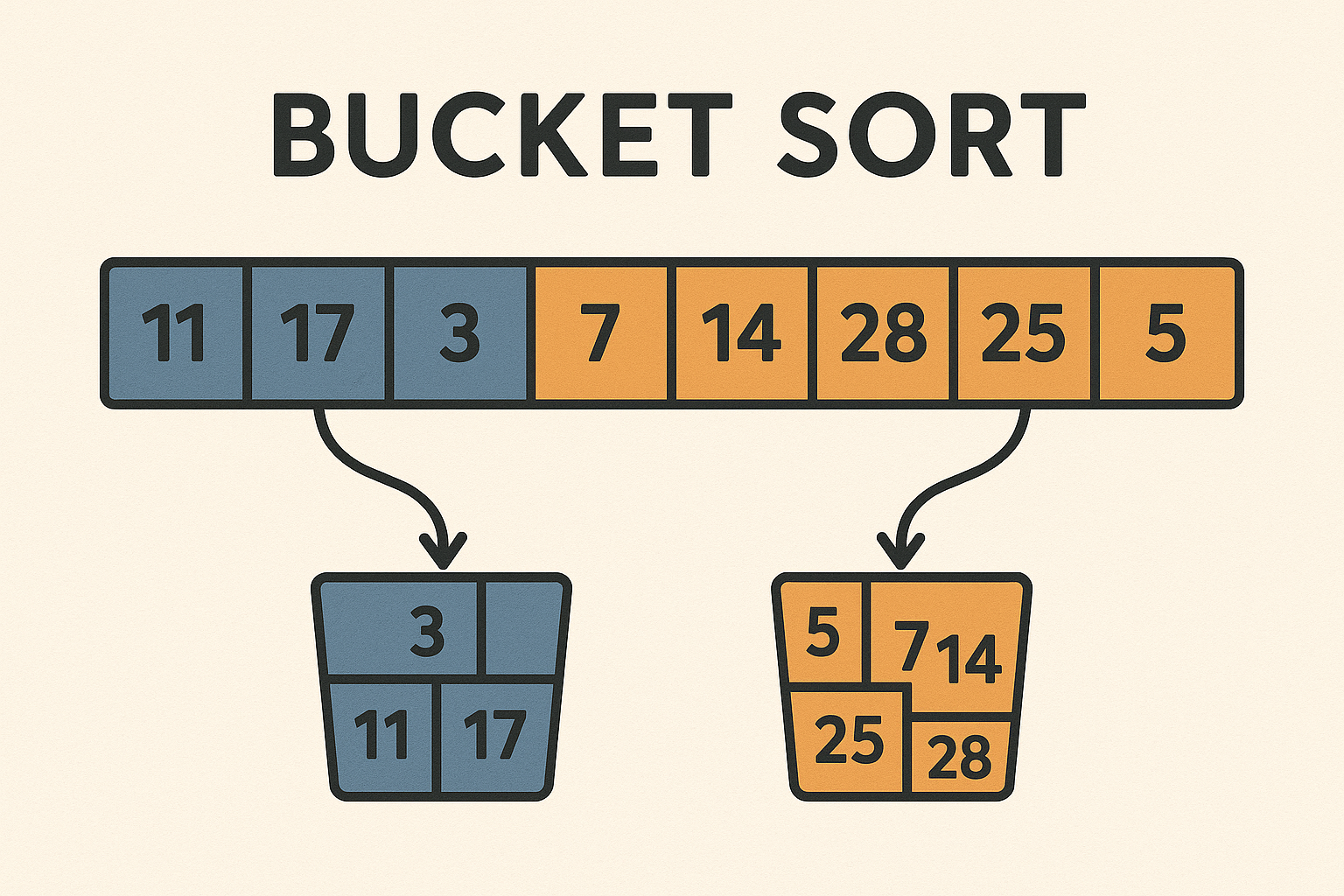
While many sorting algorithms rely on comparisons, Bucket Sort takes a different route. It groups elements into “buckets” and sorts them independently. In this deep dive, we’ll explore how Bucket Sort works, when it’s most effective, and how to bring it to life in Flutter using CustomPainter and animations.
1. What Is Bucket Sort?
Bucket Sort is a non-comparison sorting algorithm that works best when the input is uniformly distributed over a range (like decimal numbers between 0 and 1). It distributes elements into a finite number of buckets, then sorts each bucket individually (often using Insertion Sort), and finally concatenates the results.
Core Idea
- Create Buckets
Divide the value range into multiple buckets (e.g., 0–0.1, 0.1–0.2, …, 0.9–1.0). - Distribute Elements
Place each element into its appropriate bucket based on value. - Sort Each Bucket
Use a simple sorting algorithm (often Insertion Sort) inside each bucket. - Concatenate Buckets
Combine all buckets in order to get the sorted array.
Example: Sort [0.78, 0.17, 0.39, 0.26, 0.72, 0.94, 0.21]
- Buckets (range size = 0.1):
Bucket 0: []Bucket 1: [0.17]Bucket 2: [0.21, 0.26]Bucket 3: [0.39]Bucket 7: [0.72, 0.78]Bucket 9: [0.94] - After sorting each bucket and merging:
[0.17, 0.21, 0.26, 0.39, 0.72, 0.78, 0.94]
2. Step-by-Step Bucket Sort Example
Let’s sort the array:
List<double> array = [0.32, 0.45, 0.12, 0.89, 0.38];
Step 1: Create Buckets
List<List<double>> buckets = List.generate(5, (_) => []);
Step 2: Distribute Elements
Multiply by the number of buckets (e.g., 5), then floor() to find index:
0.32 → bucket 1
0.45 → bucket 2
0.12 → bucket 0
0.89 → bucket 4
0.38 → bucket 1
Buckets:
[ [0.12], [0.32, 0.38], [0.45], [], [0.89] ]
Step 3: Sort Each Bucket
Use Insertion Sort inside each bucket:
[ [0.12], [0.32, 0.38], [0.45], [], [0.89] ]
Step 4: Concatenate All Buckets
[0.12, 0.32, 0.38, 0.45, 0.89]
Sorted
3. When Is Bucket Sort Effective?
| Scenario | Performance |
|---|---|
| Uniform float distribution (0–1) | Best case |
| Large range of integers | Requires transformation or normalization |
| Sparse data or uneven distribution | Buckets become imbalanced |
| Large number of items | Linear time with assumptions met |
4. Mathematical Analysis
If the input is uniformly distributed, and we use Insertion Sort for each bucket, the time complexity becomes:
- Best/Average Case:
O(n + k) wheren= number of elements,k= number of buckets
(Each bucket has few items ⇒ Insertion Sort is fast) - Worst Case:
All elements fall into one bucket → O(n²) (insertion sort degrades) - Space Complexity:
O(n + k)
5. Flutter Implementation Highlights
Data Structures
List<double> _array;
List<List<double>> _buckets;
List<SortStep> _steps;
Bucket Creation + Distribution
int bucketCount = 5;
_buckets = List.generate(bucketCount, (_) => []);
for (double value in _array) {
  int index = (value * bucketCount).floor();
  _buckets[index.clamp(0, bucketCount - 1)].add(value);
  _recordStep(StepType.placeInBucket, value, index);
}
Sort Each Bucket
for (var bucket in _buckets) {
  _insertionSort(bucket); // optional: animate inside
}
Merge Buckets
_array = _buckets.expand((b) => b).toList();
6. Visualizing Buckets in Flutter
Each bucket is rendered as a vertical stack of bars, with a different color per bucket. Animations show:
- Placement → element dropped into a bucket
- Sorting inside bucket → colored swaps
- Merging → buckets flatten back into the array
Color Legend:
- Bucket border: grey
- Elements dropping in: yellow
- Sorted inside: green
- Final merge: blue
7. Animation Engine
Each bucket’s action (placement, sorting, merging) is recorded as a SortStep. Timer drives the playback:
Timer.periodic(Duration(milliseconds: 300), (timer) {
  if (_currentStepIndex < _steps.length) {
    setState(() {
      _applyStep(_steps[_currentStepIndex++]);
    });
  } else {
    timer.cancel();
  }
});
8. Bucket Sort vs Other Algorithms
| Algorithm | Avg Time | Space | Stable |
|---|---|---|---|
| Bucket Sort | O(n + k) | O(n + k) | Yes |
| QuickSort | O(n log n) | O(log n) | No |
| MergeSort | O(n log n) | O(n) | Yes |
| Counting Sort | O(n + k) | O(k) | Yes |
🔎 Bucket Sort is ideal for uniform float input, while QuickSort is better for general-purpose comparisons.
9. Final Thoughts
Bucket Sort is a fascinating case of leveraging distribution over comparison. Its power shines when input is uniformly distributed, allowing near-linear sorting with minimal effort.
Flutter makes visualizing Bucket Sort especially intuitive, since buckets naturally map to containers or stacks — perfect for a CustomPaint canvas.
What’s Next?
Up next: Counting Sort — another non-comparison algorithm, especially effective for sorting integers in a limited range.
We’ll compare its performance, explore how it avoids comparisons, and bring it to life with Flutter.

