1. What Is Block Sort?
Block Sort (also known as Block Merge Sort or WikiSort) is a stable, in-place sorting algorithm designed for performance and low memory usage. It’s a hybrid that merges ideas from Merge Sort and Insertion Sort, and is often used in systems where:
- stability is critical (like sorting database rows),
- minimizing extra space is essential,
- and high performance is needed even for large datasets.
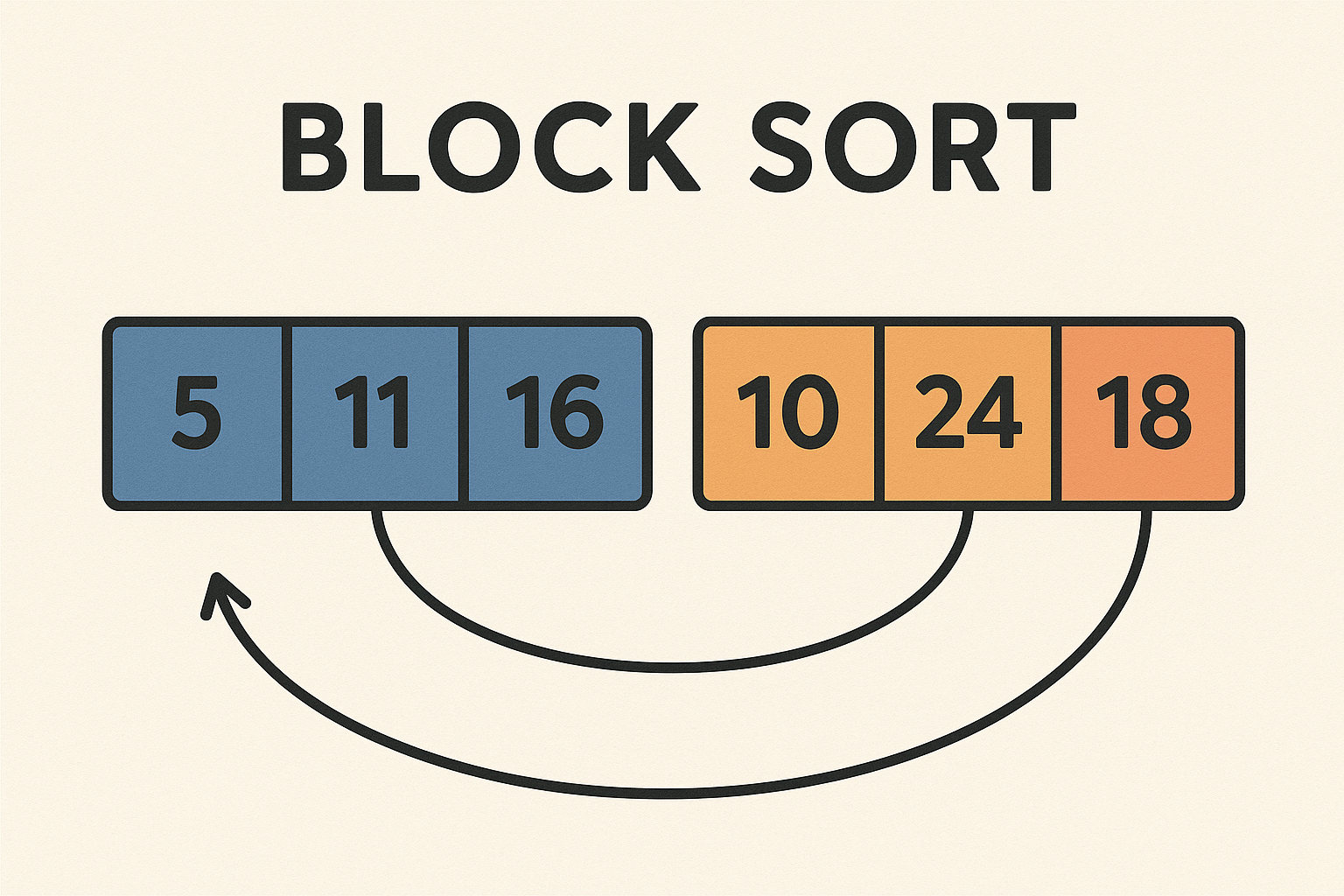
Block Sort divides the array into blocks of equal size, sorts those blocks, and then performs an optimized merge step, often reusing the input array space and a small temporary buffer.
2. How Block Sort Works
High-Level Strategy:
- Divide the array into blocks of size √n.
- Sort each block individually using Insertion Sort (cache-friendly).
- Merge blocks using an advanced merging strategy that uses minimal extra space (a small buffer or rotating merge logic).
- Maintain stability by preserving the order of equal elements.
Block Sort focuses on balancing:
- the speed of Insertion Sort for small data,
- the efficiency of Merge Sort for large data,
- the space savings of in-place algorithms.
3. Block Sort Pseudocode (Simplified)
function blockSort(array):
    blockSize = floor(sqrt(len(array)))
    for i in 0 to len(array) in steps of blockSize:
        insertionSort(array, i, min(i + blockSize, len(array)))

    mergeBlocks(array, blockSize)
The actual merge is more complex than traditional Merge Sort due to its in-place merging logic — it typically uses a “smart block merge” that rotates blocks and buffers carefully.
4. Step-by-Step Example
Given array: [9, 5, 3, 8, 2, 7, 4, 6, 1]
- Divide into blocks of √9 = 3 →
[[9,5,3], [8,2,7], [4,6,1]] - Sort each block:
[3,5,9],[2,7,8],[1,4,6]
- Merge the sorted blocks while maintaining order.
The result: [1,2,3,4,5,6,7,8,9] — sorted and stable!
5. Time and Space Complexity
| Case | Time Complexity |
|---|---|
| Best | O(n log n) |
| Average | O(n log n) |
| Worst | O(n log n) |
- Space Complexity: O(√n) (typically), or even O(1) with advanced implementations
- Stable Sort: Yes
- In-Place: Nearly (only small buffer used)
6. Block Sort in Dart (Flutter-Friendly)
Due to its complexity, we simplify with an insertion sort per block and use a standard merge for visualization:
Future<void> blockSort(List<int> array, Function(List<int>) onUpdate) async {
  int n = array.length;
  int blockSize = sqrt(n).floor();

  // Step 1: Sort blocks using insertion sort
  for (int i = 0; i < n; i += blockSize) {
    int end = (i + blockSize < n) ? i + blockSize : n;
    await _insertionSort(array, i, end - 1, onUpdate);
  }

  // Step 2: Merge sorted blocks (you can improve this with rotating merges)
  await _mergeBlocks(array, blockSize, onUpdate);
}

Future<void> _insertionSort(List<int> arr, int start, int end, Function(List<int>) onUpdate) async {
  for (int i = start + 1; i <= end; i++) {
    int key = arr[i];
    int j = i - 1;
    while (j >= start && arr[j] > key) {
      arr[j + 1] = arr[j];
      j--;
      onUpdate(List.from(arr));
      await Future.delayed(Duration(milliseconds: 150));
    }
    arr[j + 1] = key;
    onUpdate(List.from(arr));
  }
}

Future<void> _mergeBlocks(List<int> arr, int blockSize, Function(List<int>) onUpdate) async {
  int n = arr.length;
  for (int size = blockSize; size < n; size *= 2) {
    for (int left = 0; left < n; left += 2 * size) {
      int mid = min(left + size - 1, n - 1);
      int right = min(left + 2 * size - 1, n - 1);
      await _merge(arr, left, mid, right, onUpdate);
    }
  }
}

Future<void> _merge(List<int> arr, int left, int mid, int right, Function(List<int>) onUpdate) async {
  List<int> temp = [];
  int i = left, j = mid + 1;
  while (i <= mid && j <= right) {
    if (arr[i] <= arr[j]) temp.add(arr[i++]);
    else temp.add(arr[j++]);
    onUpdate([...arr.sublist(0, left), ...temp, ...arr.sublist(i, mid + 1), ...arr.sublist(j, right + 1), ...arr.sublist(right + 1)]);
    await Future.delayed(Duration(milliseconds: 150));
  }
  while (i <= mid) temp.add(arr[i++]);
  while (j <= right) temp.add(arr[j++]);

  for (int k = 0; k < temp.length; k++) {
    arr[left + k] = temp[k];
    onUpdate(List.from(arr));
    await Future.delayed(Duration(milliseconds: 100));
  }
}
This version isn’t the most optimized block merge, but it’s suitable for visualizing block-based sorting in Flutter.
7. Visualization with Flutter + CustomPaint
- Each block can be rendered in a different color.
- During insertion sorting, animate element shifts inside the block.
- During merging, highlight blocks being merged and show comparisons.
- Optional: Display block boundaries, block size, and merge phases visually.
Great for learners and performance enthusiasts.
8. When Should You Use Block Sort?
Use Block Sort when:
- You want in-place and stable sorting.
- You need low memory overhead.
- You’re dealing with large arrays where Merge Sort’s extra space is undesirable.
9. Summary
Block Sort combines the best of stable, cache-aware sorting with nearly in-place behavior. While it’s more complex than Merge or QuickSort, its performance benefits and stability make it ideal for demanding environments.